
TrucksBook Job Tracking Issue in 1.58
TrucksBook Job Tracking Issue in 1.58
Are you experiencing this TrucksBook job tracking issue? Does TrucksBook stop tracking your job before you deliver? See if these solutions fix your TrucksBook job tracking issue.
Solution Links
The problem
Since the 1.58 update for American Truck Simulator and Euro Truck Simulator 2 as well as the most recent TrucksBook (TB) client update, a lot of VTC drivers have been having issues with TB tracking their runs and costing you and the company miles and kilometers that don’t get recorded in your TB logbook.
Three issues related to mods seem to be causing a significant number of errors during driving sessions that fill up the game.log file until it reaches capacity. This is an example of the last few lines of a game.log file with thousands of messages caused by these and other issues.
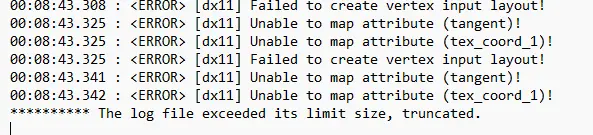
When your game.log fills up with these messages, TB can no longer track your job. Trucky tracks jobs differently, so this doesn’t appear to affect Trucky.
You can learn more about how to read your game.log at Steam.
What is the game.log file?
The game.log file for American Truck Simulator (ATS) and Euro Truck Simulator 2 (ETS2) is a text file that records every event during a game session.
It is essential for troubleshooting crashes and mod conflicts. It documents system specs, game startup, mod loading, and errors, usually located in Documents > [GAME NAME]
Old Mods
Using old mods that have not been updated to work with the changes that SCS implemented in 1.58. This doesn’t affect all mods, but if they haven’t been updated within the past few months they may be suspect.
Conflicting Mods
Using more than one mod that does the same thing. Examples I’ve seen is using two different Mirror FOV mods or truck physics mods. These mods can conflict with one another and could generate errors.
Mods out of order
Not putting your Active Mods in the correct order can potentially cause conflicts and/or error messages in your game. Mods need to be ordered in a specific sequence.
Solutions to the TrucksBook Job Tracking Issue
Run Current Mods
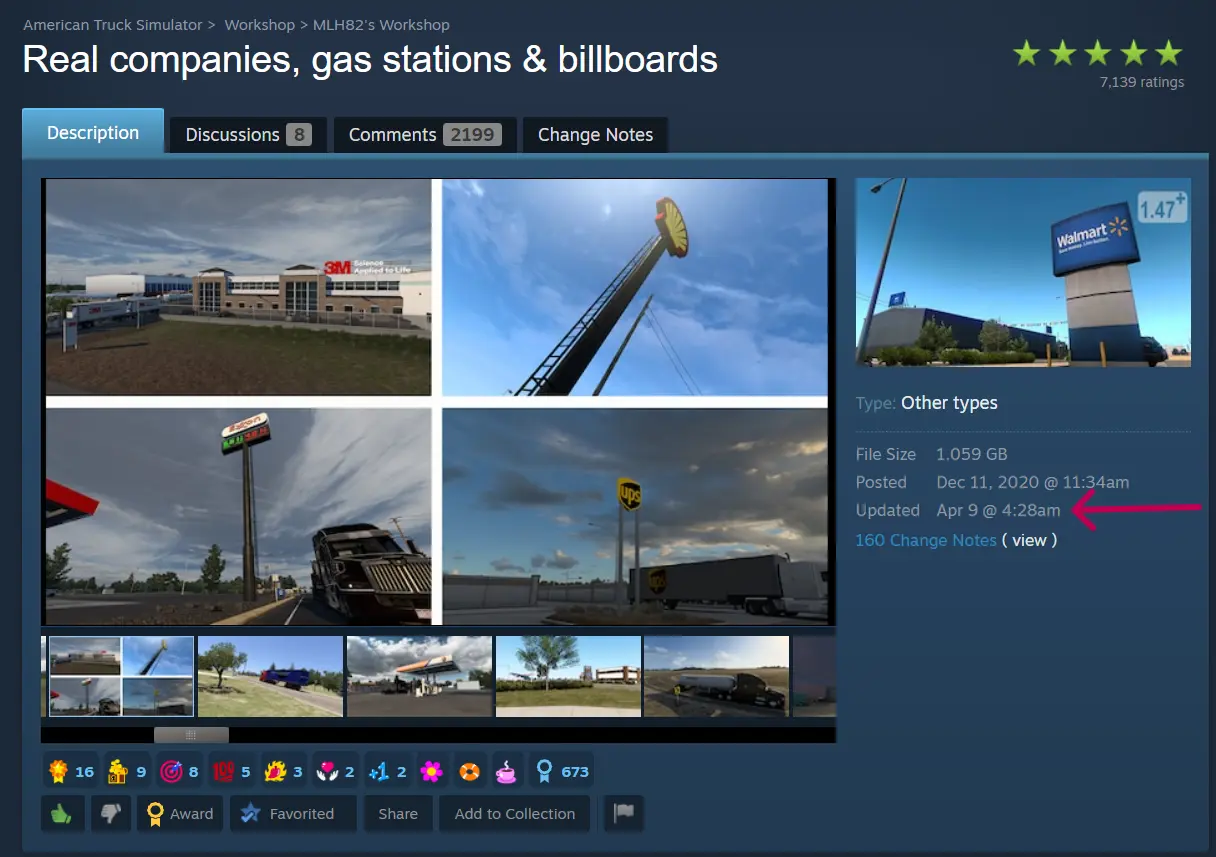
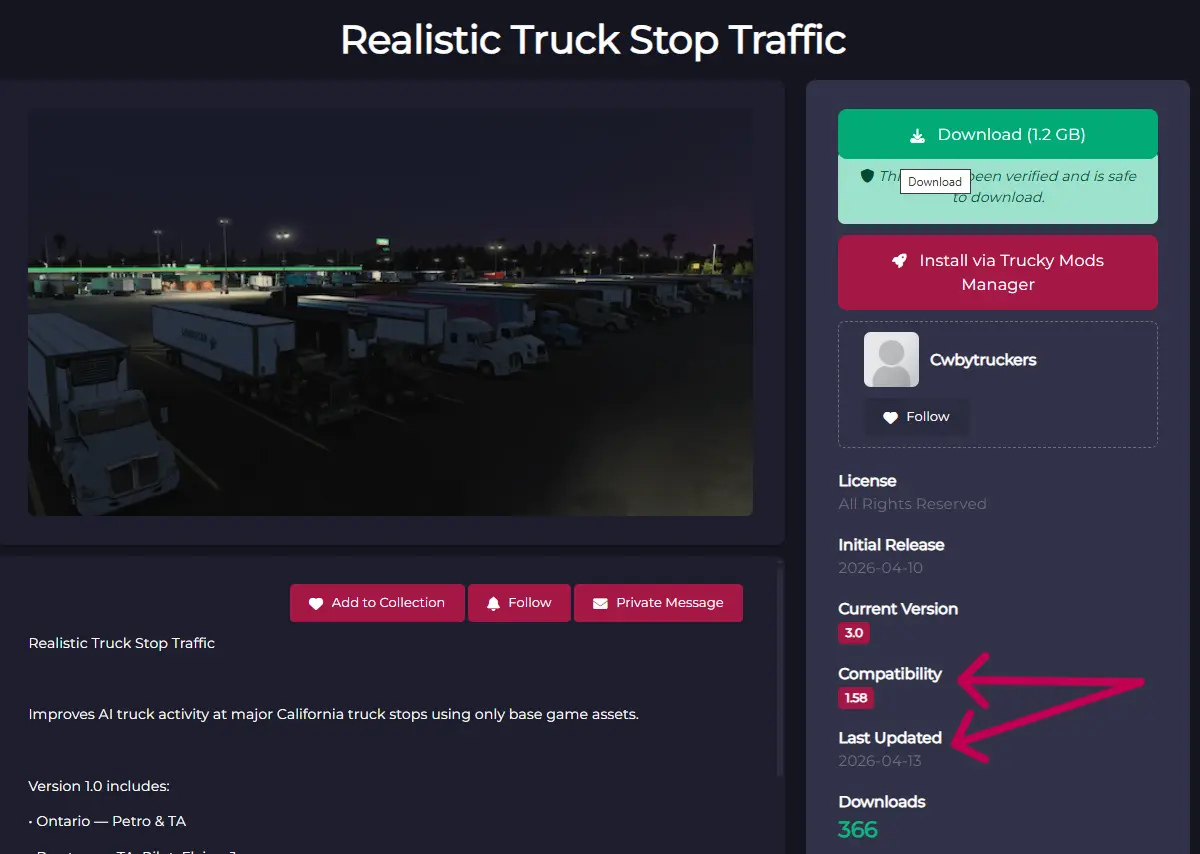
Check your mods on the Steam Workshop, TruckyMods, or wherever you get them, to ensure the mods your are running are up to date for the current game version.
The image below shows where on the Steam Workshop to see when a mod was originally posted and last updated.
The image below shows where on TruckyMods to see when a mod was originally posted, the game version it is compatible with, and when it was last updated.
Avoid Duplicate Mods
Avoid using more than one mod that does the same thing or might be in conflict with one another. Determine which one does what you want and if it is current, remove the other mod.
Put Mods in the correct sequence
In order to work correctly within the game framework that SCS has developed, your mods must be placed in the correct sequence.
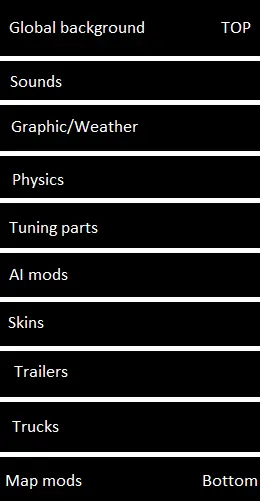
Mods are grouped by type, such as sound mods, tuning parts, truck or trailer skins, etc. and must be in their correct groupings.
Exact placement within each group is determined by different factors such as mod author instructions and your priority preference of whatever effect some mods create.
Be aware that just because a mod author says their mod goes at the top, that is rarely correct. However, it could be that it should go at the top of it’s grouping.
This Mod Order image, provided by community member Ducky60 shows the mod group sequence as published on the SCS Forums.
Add -UnlimitedLog option in Steam
And finally, it is recommended that you add the -unlimitedlog switch to your game’s launch options in Steam.
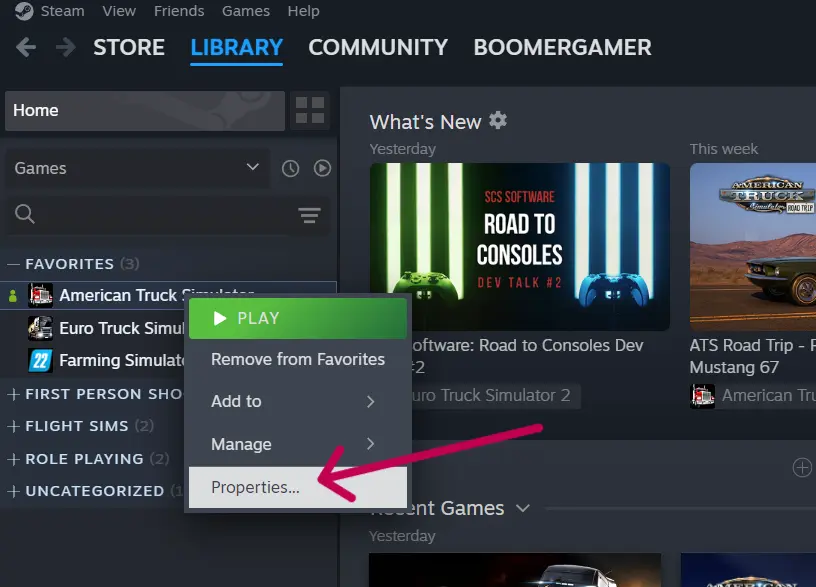
To do this, go to your Steam app and right-click (with your mouse) and select Properties in the shortcut menu.
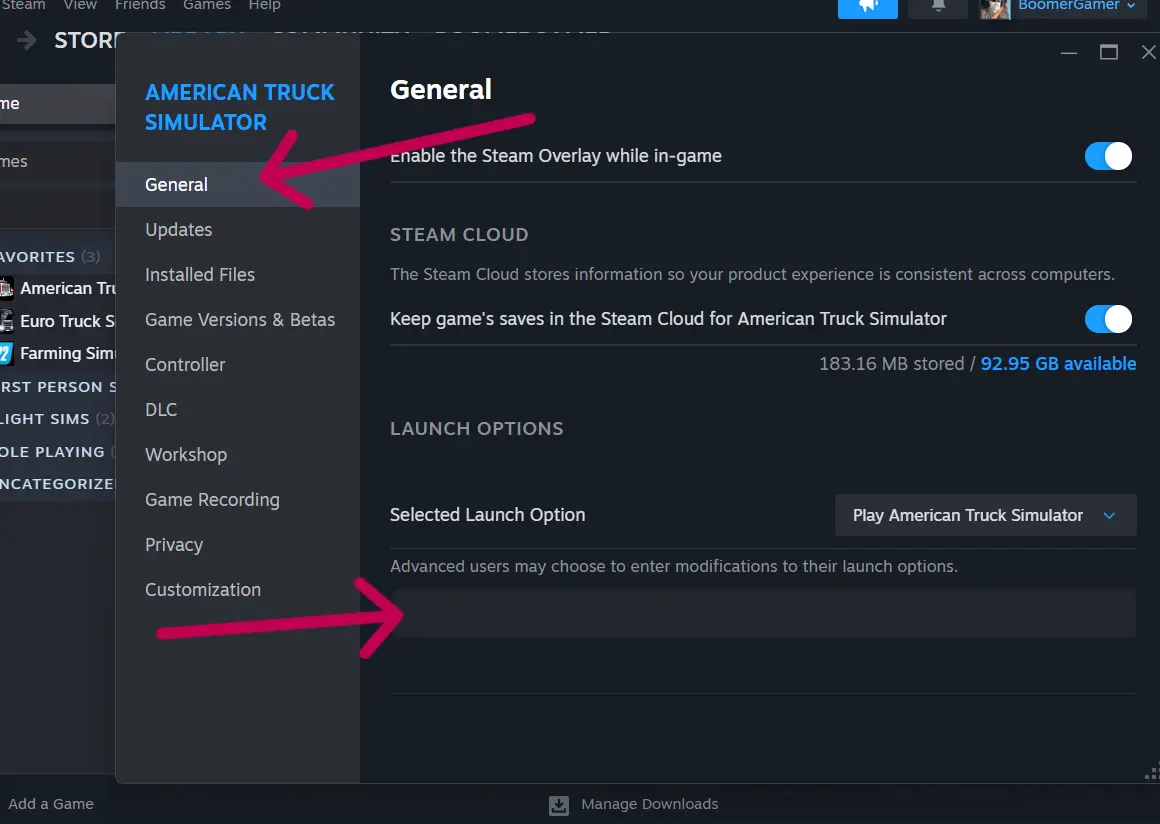
In the Properties popup, on the General tab, copy (CTRL-C) the following text and paste it (CTRL-V) into the launch options field:
-unlimitedlog
Alternatively, you can include -nointro to eliminate the game’s introduction animation. If you wish to bypass the introduction animation, use this text instead:
-nointro -unlimitedlog
Learn more about Boomer's Trucknado Transport VTC
Would you like to join a great Virtual Trucking Company? You can learn more about Boomer's Trucknado Transport VTC by clicking or tapping on our company logo.
Our Convoy Servers
American Truck Simulator

Euro Truck Simulator 2



About the Author: BoomerGamer

SHARE THIS STORY ANYWHERE YOU LIKE
SHARE THIS STORY ANYWHERE
BTT VTC August 2026 Results Boomer’s Trucknado Transport Virtual Trucking Company (BTT VTC) had another great month in August 2026, especially in Euro Truck Simulator 2 where we finished 55th overall on TrucksBook
Boomer's Trucknado VTC July 2026 Results Boomer’s Trucknado Transport Virtual Trucking Company (BTT VTC) had another great month in July 2026, especially in American Truck Simulator where we finished well within the top
The 2026 All-Europe Challenge has Launched! The 2026 All-Europe Challenge Launch is officially here, and Boomer's Trucknado Transport VTC drivers are hitting the road for the biggest run of the year. The challenge